If you just tried to download your NEET admit card and the page refused to load, you are in the right place. The link of the NEET admit card link not working problem hits thousands of students every single time NTA releases the hall ticket, and this year is no different. With over 22.79 lakh students registered for NEET UG 2026, the moment NTA released the admit card on April 26, 2026, the official portal at neet.nta.nic.in saw a massive spike in traffic that left many students staring at a blank screen or an error message.
Here is the thing, though, this situation is far more common than you think, and in almost every case, the link for the NEET admit card link not working issue resolves itself once you know what to do. So instead of refreshing the page a hundred times and spiraling into panic, let us walk through exactly why this happens and what you need to do to get your NEET 2026 admit card downloaded without any further trouble.
What Details Are on the NEET UG Admit Card?
Before getting into the fixes, it helps to understand what you are actually downloading and why it matters so much. The NEET UG 2026 admit card is not just a hall pass; it is a mandatory document that controls your entry into the exam center. Without it, the authorities will not allow you inside, period.
The admit card carries your name, roll number, application number, exam center name and address, reporting time, exam date, and photograph. The NEET UG 2026 exam is scheduled for May 3, 2026 (Sunday), running in a single shift from 2:00 PM to 5:00 PM. Entry to the exam center opens at 11:00 AM and closes at 1:30 PM. Candidates need to be seated by 1:15 PM. The question paper distribution begins at 1:45 PM, and the exam kicks off at 2:00 PM sharp.
Along with the admit card, you also need to carry a valid original photo ID, an Aadhaar card, a PAN card, a voter ID, a passport, a driving licence, DigiLocker credentials, or APAAR ID, all work. Without both documents, entry is denied. So getting your admit card downloaded and printed well before exam day is non-negotiable.
Why Is the NEET Admit Card Link Not Working?
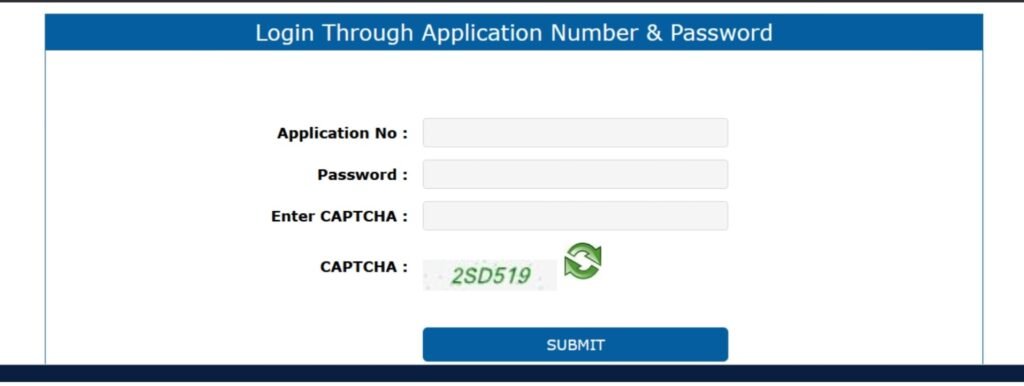
The most common reason behind the NEET admit card link not working is straightforward: server overload. When lakhs of students try to access the same portal at the same time, the moment the admit card drops, the NTA servers struggle to handle the volume of simultaneous requests. The result is a crashed page, an endlessly spinning loader, or an error message that tells you nothing useful.
Beyond server overload, several other factors can cause the download link to fail. A weak or unstable internet connection often makes the portal time out before the page even loads. Browser-related issues, like outdated cache and stored cookies, can interfere with the login page. Your specific web browser might also have compatibility issues with the NTA portal. And in some cases, the website itself goes into brief maintenance mode, during which the admit card link becomes temporarily inaccessible.
The important thing to hold onto is this: the NEET Admit Card link not working issue is almost always temporary. It is not a sign that something is wrong with your registration or your application. In nearly every case, following the steps below resolves the problem quickly.
Step-by-Step Fixes When the NEET Admit Card Link Is Not Working
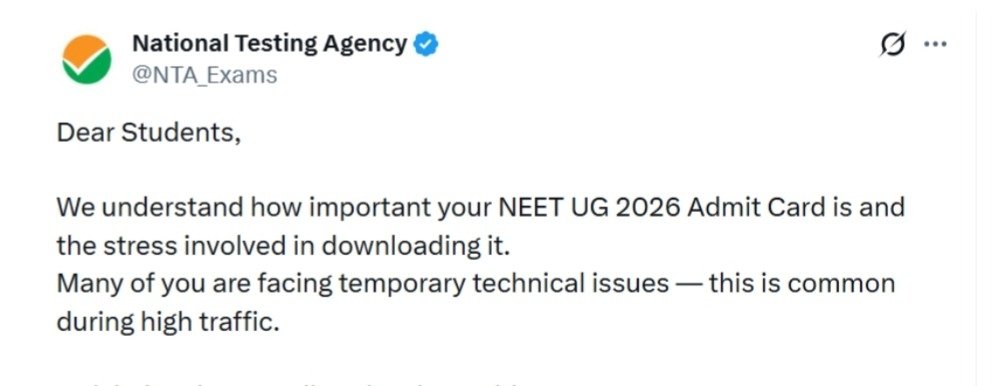
1. Wait and Try Again at a Less Busy Time
If the NTA portal goes down because of peak traffic, waiting it out is genuinely the most effective strategy. The server load drops significantly during off-peak hours. Try accessing the website early in the morning, around 5:00 AM to 7:00 AM, or late at night after 11:00 PM. Most students attempt their downloads right after the admit card announcement goes out, which is exactly when the site sees its highest traffic. If you step away and come back a few hours later, you will very likely find the portal loading smoothly.
2. Refresh the Page or Reopen the Browser
Sometimes, the link of the NEET admit card not working situation is nothing more than a temporary glitch on the browser’s end. Before trying anything complicated, press Ctrl + R to force a page refresh. If that does not work, close the browser entirely, wait 30 seconds, and then reopen it and navigate back to neet.nta.nic.in. This simple move clears minor browser errors and often gets the page loading again without any extra steps.
3. Check Your Internet Connection
A slow or unstable internet connection is one of the most overlooked causes of the admit card page failing to load. If your Wi-Fi signal is weak, switch to a more reliable network or move closer to the router. Alternatively, switch to mobile data; sometimes, a 4G connection is actually more stable for accessing government portals than a congested home broadband connection. You can also try restarting your router entirely, which refreshes your connection and clears any temporary network errors. A strong, stable connection alone can resolve the NEET admit card link not working problem in a matter of seconds.
4. Clear Your Browser’s Cache and Cookies
Cached data and old cookies build up in your browser over time and can actively block pages from loading correctly, especially login-based government portals like NTAs. If the NEET admit card page keeps failing despite a good internet connection, clearing the cache is the next step. Open your browser settings, find the Privacy or History section, and select the option to clear cache and cookies. After clearing, restart the browser and try visiting neet.nta.nic.in again. This fix works particularly well when the page partially loads but the login section refuses to function.
5. Switch to a Different Browser or Try Incognito Mode
If the link of the NEET Admit Card link not working problem continues even after clearing the cache, your browser itself might be the problem. Not all browsers handle NTA portals equally well. Switch to Google Chrome if you are currently using something else, as it tends to work most reliably with NTA’s systems. If Chrome is already what you are using, try opening an Incognito window (Ctrl + Shift + N) and accessing the portal from there. Incognito mode bypasses stored cookies and extensions entirely, which often gets rid of browser-level issues instantly. You can also try switching from a laptop to your mobile phone; sometimes the portal loads more easily on mobile browsers.
6. Change Your Network or Use a Mobile Hotspot
In some cases, your internet service provider or your office or college network might be blocking access to certain government portals. If you have tried the above steps and the NEET admit card page still refuses to open, switch to a completely different network. Turn on your mobile hotspot and connect your laptop to it. Or move to a different Wi-Fi network entirely, a friend’s connection or a nearby café’s Wi-Fi can sometimes make an immediate difference. A network change effectively rules out your ISP being the reason behind the NEET Admit Card link not working problem.
7. Avoid Third-Party and Social Media Links
Every time NTA releases an important update, dozens of unofficial websites and social media accounts circulate fake or outdated links. Clicking on these links is one of the easiest ways to end up at a broken page, a phishing site, or simply a dead URL. Always go directly to neet.nta.nic.in by typing it into your browser’s address bar yourself. Do not click admit card links from WhatsApp forwards, Telegram groups, Instagram stories, or YouTube descriptions. Using the official portal directly eliminates a whole category of avoidable problems and keeps your login credentials safe.
8. Check If the NTA Server Is Under Maintenance
Sometimes the portal goes down not because of traffic overload but because NTA itself has taken the site offline temporarily for maintenance or updates. If this is the case, no amount of refreshing or troubleshooting on your end will help; you simply have to wait for them to bring the server back up. Check NTA’s official social media handles and trusted education news websites for real-time announcements about server status. This way, you know whether the link of the NEET admit card link not working issue is on your side or NTA’s side, and you do not waste time trying fixes that cannot work during a server-down window.
9. Reset Your Password If You Cannot Log In
A separate but equally frustrating problem that some students face is not the admit card page itself, but the login failing. If you have forgotten your password or your credentials are not working, you do not need to panic. NTA’s portal allows password resets through OTP verification sent to your registered mobile number, through a reset link sent to your registered email, or through a security question you set during registration. Go through the password reset process, update your credentials, and then try logging in again. Keep your application number and registered mobile number or email handy before you start this process.
10. Contact the NTA Helpdesk
If you have worked through every step above and the problem persists, especially if you suspect an error in your application details or a technical issue specific to your registration, contact NTA directly. You can reach them via email at neetug2026@nta.ac.in or call their helpline numbers 011-40759000 or 011-69227700. The helpdesk is available between 10:00 AM and 5:00 PM on working days. Keep your application number and date of birth ready when you call or write in, so the support team can pull up your details quickly and resolve the issue without back-and-forth delays.
What to Check After You Successfully Download the Admit Card
Once the NEET admit card link issue is resolved and you get the hall ticket downloaded, do not just save it and forget it. Take a few minutes to go through every detail on the admit card carefully. Check your full name, roll number, application number, father’s name, date of birth, photograph, and signature. Also, verify the exam centre name and address, the reporting time, and the exam date. If anything looks wrong, a name misspelling, a wrong centre, an incorrect category, contact NTA immediately at neetug2026@nta.ac.in between 10:00 AM and 5:00 PM.
NTA has allotted exam centers across 552 cities in India and 14 cities abroad for NEET UG 2026. Over 90% of candidates have reportedly received their first-choice city. If your center is far from where you live, plan your travel and accommodation well in advance so that exam-day logistics do not add to your stress.
Once you have verified all the details, print at least two copies of the admit card and keep them in a safe place. NTA does not send physical admit cards by post, and duplicate admit cards are not issued under any circumstances. The hall ticket you download is the only copy you will get, so treat it carefully.
What to Carry to the NEET Exam Centre
Along with your printed admit card, you must bring a valid original photo ID to the exam center. NTA accepts an Aadhaar card, PAN card, voter ID, passport, driving license, DigiLocker documents, or APAAR ID. You also need to carry a postcard-sized photograph for entry verification. The exam centre authorities will cross-check your admit card details against your ID, and any mismatch can lead to denial of entry. Reach the centre by 1:00 PM at the latest; the entry gates close at 1:30 PM, and late candidates are not allowed in.
Conclusion
Facing the issue of the NEET admit card link not working right before your exam is stressful, but it is also one of the most common and most solvable problems that NEET aspirants encounter every year. The root causes can be the server overload from millions of simultaneous access requests, and in most cases, the fixes are simple, such as waiting for off-peak hours, clearing your cache, switching browsers, changing your network, or trying the portal from a different device. So as soon as you resolve the NEET admit card link issue and the page finally loads, download the admit card immediately, verify every detail on it, print at least two copies, and keep them somewhere safe. You have prepared hard for this; do not let a temporary technical glitch shake your confidence. The portal will work, the admit card will download, and you will be ready.
SPM & LALAN’S Coaching wishes you Good luck with NEET UG 2026.
Will NTA issue a new admit card after the correction for NEET UG 2026?
Yes, if a candidate reports a genuine discrepancy in their admit card details, such as a name error, wrong date of birth, incorrect photograph, or wrong category, NTA does take steps to address it. After the candidate contacts NTA with the concern and the necessary supporting documents, the authority reviews the case. If the correction is approved, a revised admit card will be issued reflecting the updated details. Candidates must act quickly when they notice any errors, since the NEET UG 2026 exam is on May 3, 2026, leaving very little time for back-and-forth corrections. The fastest way to reach NTA is through email at neetug2026@nta.ac.in or by calling 011-40759000 or 011-69227700 during working hours.
What if my category is wrongly mentioned on the NEET UG 2026 admit card?
If you notice that your category, such as General, OBC, SC, ST, or PwD, is incorrectly mentioned on the admit card, you need to raise this with the NTA without delay. Category details matter significantly for NEET counseling and seat allotment, since different categories have different cutoffs, reservation quotas, and fee structures. Contact NTA immediately at neetug2026@nta.ac.in with your application number, correct category details, and supporting documents like your caste certificate. The NTA team reviews such cases and issues corrections where applicable. Do not wait and assume the error will sort itself out; an incorrect category can create serious complications at the time of NEET 2026 counselling.
Can I change my exam city after the admit card is issued?
No, once the NEET UG 2026 admit card gets issued and the exam center allotment is finalized, candidates cannot change their exam city. The city intimation slip was released earlier on April 12, 2026, giving candidates advance notice of their allotted city. Any concerns about the exam center were expected to be raised during the correction window. After the admit card issuance, the centre allotment is locked. However, if there is a genuine and serious administrative error in the centre allotment, for instance, a city completely different from what was chosen, you can contact NTA’s helpdesk and explain the situation. Whether or not a change is possible at that stage depends entirely on NTA’s discretion and the availability of seats at alternative centres.

This article is written by the SPM & LALAN’S Content Team, a group of skilled writers, researchers, and content strategists passionate about creating accurate, reliable, and student-friendly educational content. Every article is thoroughly researched, fact-checked, and updated to ensure readers receive trustworthy and relevant information. The goal is to help students make informed academic decisions through clear, well-researched, and easy-to-understand content.