Result day hits differently for Class 12 students. Months of preparation, late-night studies, and the pressure of board exams, all of it comes down to one moment when that marksheet finally loads on the screen. If you are one of the over 43 lakh students who appeared in the CBSE Class 12 board exams held between 17th February and 10th April 2026, you are probably checking your phone every few hours, waiting for that announcement.
The good news is that CBSE 12th Result 2026 online results for all three streams, Science, Commerce, and Arts, are expected to roll out by late April or the first week of May 2026. And when the link goes live, you want to be completely ready to access it without confusion or delay.
In this blog by SPM & Lalans, we walk you through every method available to check the CBSE 12th Result 2026 Online, from the official CBSE websites to DigiLocker, the UMANG app, SMS, and IVRS. We also cover what details appear on your marksheet, the passing criteria, the grading system, and answers to the questions students ask most often on result day.
While you wait for your result, you can also start preparing for entrance exams and improve your performance with mock tests.
CBSE Class 12 Result 2026 — Quick Facts at a Glance
Before getting into the step-by-step process, here is a complete overview of everything related to CBSE 12th Result 2026 Online so you have all the important details in one place.
| Parameter | Details |
| Exam Name | CBSE Class 12 Board Examination 2025-26 |
| Conducting Body | Central Board of Secondary Education (CBSE) |
| Exam Dates | 17th February to 10th April 2026 |
| Total Students | Over 43 lakh students |
| Streams Covered | Science, Commerce, and Arts |
| Expected Result Date | Late April or first week of May 2026 |
| Official Websites | cbseresults.nic.in / cbse.gov.in / results.cbse.nic.in |
| SMS Number | 7738299899 |
| IVRS Number | 24300699 (with area code) |
| DigiLocker | Available (Aadhaar-linked) |
| UMANG App | Available for download |
Official Websites to Check CBSE 12th Result 2026 Online
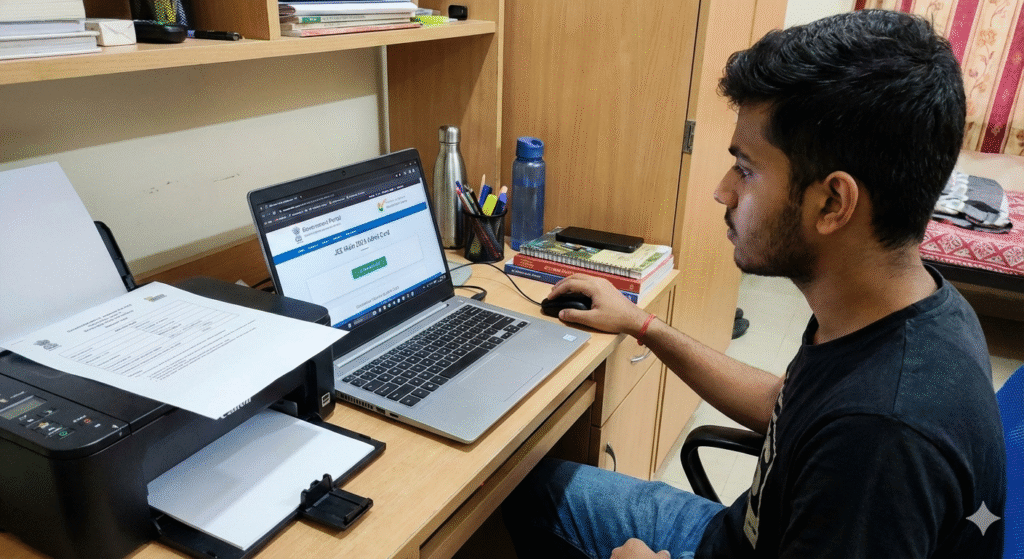
CBSE publishes Class 12 results through multiple official portals simultaneously. That way, even if one website slows down due to heavy traffic, students can switch to another and still access their results without delay. The three portals that carry the CBSE 12th Result 2026 Online are listed below.
| S.No. | Website | Purpose |
| 1 | cbseresults.nic.in | Primary result portal — direct access to Class 12 results |
| 2 | cbse.gov.in | Official CBSE website with the result link on the homepage |
| 3 | results.cbse.nic.in | Alternative NIC portal for CBSE result downloads |
All three websites display the same result data, so you can use any of them interchangeably. On result day, cbseresults. nic.in typically sees the highest traffic, so if that one is slow or unresponsive, head straight to results. cbse.nic.in or cbse.gov.in as your backup.
Step-by-Step Guide to Check CBSE 12th Result 2026 Online
Once the result link goes live on the official CBSE portal, checking your CBSE 12th Result 2026 Online takes only a few minutes. Follow these steps carefully to access and download your marksheet without any trouble.
Step 1: Open any of the three official websites — cbseresults. nic.in, cbse.gov.in, or results.cbse.nic.in in your browser.
Step 2: Look for the CBSE Class 12 Result 2026 link on the homepage. Once the results are officially declared, the link gets activated and appears prominently on the page. Click on it.
Step 3: A login form will appear on your screen. Enter your roll number, Admit Card ID, Date of Birth, and School Number in the required fields. Make sure all details match your admit card exactly.
Step 4: Click the Submit button and wait a few seconds while the system processes your information.
Step 5: Your CBSE 12th Result 2026. An online marksheet will appear on the screen with your subject-wise marks, aggregate score, and result status.
Step 6: Before doing anything else, verify your name, roll number, and date of birth on the marksheet to confirm that the result displayed belongs to you.
Step 7: Once verified, take two to three printouts and save a digital copy as well. You will need the marksheet for college admissions, scholarship applications, and document verification.
Important: On the day results are declared, millions of students access these portals at the same time. You may encounter slow loading, link errors, or temporary website crashes. Stay calm if that happens. Wait for an hour or two and try again, or switch immediately to DigiLocker, the UMANG App, or the SMS method, all of which work even when the main websites are overloaded.
Alternative Ways to Check CBSE Class 12 Result 2026
Beyond the official websites, CBSE offers several other reliable methods to access your CBSE 12th Result 2026 online. These alternatives come in especially handy on result day when the websites face heavy traffic. Here is how each method works.
How to Check CBSE 12th Result 2026 via SMS
The SMS method is one of the fastest and most dependable ways to get your result when websites are slow. You do not need internet access for this, just a working mobile connection.
| Step | Action |
| Open SMS App | Launch the default SMS app on your mobile phone |
| Type the message. | CBSE12 [Roll Number] [Date of Birth in DDMMYYYY] [School Number] [Centre Number] |
| Send To | 7738299899 |
| What You Receive | Subject-wise marks sent back to the same mobile number |
Note: Type your date of birth strictly in DDMMYYYY format. For example, if your birthday is 5th March 2007, type 05032007. An incorrect format will return an error message instead of your result.
How to Check CBSE 12th Result 2026 via IVRS
CBSE also lets students check their results over a phone call through the Interactive Voice Response System (IVRS). This is a less commonly used method but works perfectly if you prefer hearing your result instead of reading it on a screen.
| Step | Action |
| Dial the Number | Add your area/STD code before dialling 24300699 |
| Follow Instructions | The automated system will guide you through the result-checking process |
| Call Charges | 30 paise per minute (charged per roll number) |
How to Check CBSE 12th Result 2026 via DigiLocker
DigiLocker is one of the best options for downloading an officially verified digital copy of your Class 12 marksheet. The government backs this platform, and the marksheet you download from DigiLocker holds the same validity as a physical copy for most college admissions and document submissions.
| Step | Action |
| Log In | Open DigiLocker (digilocker.gov.in or the app) and sign in with your username and password |
| Link Aadhaar | Go to your Profile and link your Aadhaar card if you have not already done so |
| Click the Result Option | Select ‘Get CBSE XII Result’ from the available options |
| Enter Details | Type your Roll Number and Date of Birth, then click Submit |
| Download Marksheet | Your CBSE 12th marksheet will appear on screen and is ready to download or share |
How to Check CBSE 12th Result 2026 via UMANG App
The UMANG (Unified Mobile Application for New-age Governance) app gives students another official route to access their CBSE 12th Result 2026 online. Download the UMANG app from the Google Play Store or Apple App Store, log in with your mobile number, search for CBSE services, and follow the prompts to view and download your Class 12 result and digital marksheet. Like DigiLocker, UMANG stores your documents securely and lets you access them anytime.
Details Mentioned on the CBSE Class 12 Marksheet
Once you open your CBSE 12th Online marksheet, you will find several important pieces of information. Check every detail carefully as soon as the result loads. If anything looks wrong, a misspelled name, incorrect marks, or a mismatch in roll number, report it to your school immediately. Here is everything that appears on the official CBSE Class 12 marksheet.
| Detail | Description |
| Student Name | Full name as registered with CBSE |
| Roll Number | Unique candidate identification number |
| Subject Names | All subjects attempted in the board exam |
| Marks Obtained | Individual subject-wise marks secured |
| Total Marks | Maximum marks for each subject |
| Aggregate Score | Combined total across all subjects |
| Result Status | Pass / Compartment / Fail |
| Pass / Compartment | Final outcome based on marks and passing criteria |
Keep in mind that the online marksheet you download on result day is a provisional copy. CBSE issues the original marksheet through your school after a few weeks. Store the provisional copy safely in the meantime, as most colleges accept it for the admission process. If you find any discrepancies, report it to your school immediately and consider applying for the CBSE result re-verification process.
CBSE 12th Passing Criteria 2026
Knowing the passing criteria before checking your CBSE 12th Result 2026 Online helps you understand exactly what the numbers on your marksheet mean. CBSE sets minimum marks for both theory and practical or internal assessment components separately. Scoring only one component is not enough, you need to clear both.
| Requirement | Minimum Marks Needed |
| Overall — Theory + Practical/Internal | 33% aggregate in each subject |
| Theory Component | Minimum 33% |
| Practical / Internal Assessment | Minimum 33% |
| Total Subjects Required to Pass | 5 subjects (as per the scheme of studies) |
Students who fall short in one or two subjects may appear in the compartment exam, which CBSE conducts shortly after the main results are declared. The compartment exam gives students a chance to improve their score in the specific subject they did not clear without having to repeat the entire board exam.
CBSE Class 12 Result 2026 — Grading System
CBSE follows a nine-point grading scale for Class 12 results. Understanding the grading system helps you interpret your CBSE 12th Result 2026 Online marksheet better, especially if you are calculating your grade point average for college applications or scholarship forms.
| Marks Range | Grade | Grade Points |
| 91 – 100 | A1 | 10 |
| 81 – 90 | A2 | 9 |
| 71 – 80 | B1 | 8 |
| 61 – 70 | B2 | 7 |
| 51 – 60 | C1 | 6 |
| 41 – 50 | C2 | 5 |
| 31 – 40 | D | 4 |
| 21 – 30 | E1 | — |
| 0 – 20 | E2 | — |
Students who score in the E1 or E2 range (below 33 marks) do not pass that subject. Grade D means you have passed the subject at the minimum threshold. Grades A1 and A2 represent the highest levels of performance in the CBSE marking system.
Conclusion
Result day for Class 12 is one of the most significant days in a student’s academic life, and being prepared for it makes the experience far less stressful. Now that you know every method available to check the CBSE 12th Result 2026 Online, through official websites, SMS, IVRS, DigiLocker, and the UMANG App, you can approach the result day with confidence rather than confusion.
Keep your admit card handy, save the official websites in your browser, and install DigiLocker or the UMANG app on your phone as a backup. Results for all three streams, Science, Commerce, and Arts are expected by late April or the first week of May 2026. The moment the link goes live, follow the step-by-step process in this guide, verify every detail on your marksheet, and download multiple copies for your records. Once you check your result, it’s time to plan your next step—whether it’s college admissions or exploring career-oriented courses after Class 12.
Whatever your result brings, remember that CBSE Class 12 is a milestone, not a final destination. Check your CBSE 12th Result 2026 Online, understand your scores against the passing criteria and grading system, and take your next step forward with clarity. If you’re unsure about your next move, read our detailed guide on what to do after CBSE 12th results.
Frequently Asked Questions (FAQs)
How can I get my CBSE 12th marksheet if I lose my roll number?
If you have misplaced your roll number before checking your CBSE 12th result 2026 online, the first thing you should do is contact your school. Every school maintains a complete record of student roll numbers, admit card IDs, school numbers, and center numbers, all the details you need to access the result portal. Your class teacher or the school office can retrieve this information for you quickly. Alternatively, check your admit card if you still have a physical or digital copy of it, since the roll number appears clearly on the front. In case you cannot reach your school in time, you can also try the official CBSE portals, where some sections allow result searches using school number and date of birth combinations. The important thing is not to panic, the school remains your most reliable point of contact for recovering registration details tied to your CBSE account.
What details are required to check the CBSE Class 12 result online?
To check your CBSE 12th Result online through the official websites, you need four specific pieces of information that you will find on your CBSE admit card. First, you need your Roll Number, the unique number assigned to you for the board examination. Second, you need your Admit Card ID, which is a separate identification number printed on your hall ticket. Third, you need your date of birth in the format the portal specifies. And fourth, you need your school number, which identifies the institution where you are registered. Together, these four details authenticate your identity on the result portal and pull up your specific marksheet. Make sure you keep your admit card accessible on result day, everything you need is printed right on it. If you are using the SMS method instead, you also need your center number along with the above details.
What should I do if the CBSE result website is not opening due to heavy traffic?
A slow or unresponsive CBSE website on result day is extremely common and completely expected, given that over 43 lakh students try to access the same portals at the same time. The best approach here is to not keep refreshing the same stuck page repeatedly, that only adds to the server load. Instead, switch immediately to one of the alternative methods that work independently of the main websites. You can check your CBSE 12th Result online through DigiLocker by logging in with your Aadhaar-linked account or through the UMANG App, which works smoothly even during peak traffic periods. If you prefer something even simpler, send an SMS in the correct format to 7738299899, and you will receive your subject-wise marks directly on your phone within minutes. You can also try opening a different official portal, results.cbse.nic.in or cbse.gov.in, since not all three portals experience the same load at the same time. Trying a different browser or switching from Wi-Fi to mobile data sometimes helps too.

This article is written by the SPM & LALAN’S Content Team, a group of skilled writers, researchers, and content strategists passionate about creating accurate, reliable, and student-friendly educational content. Every article is thoroughly researched, fact-checked, and updated to ensure readers receive trustworthy and relevant information. The goal is to help students make informed academic decisions through clear, well-researched, and easy-to-understand content.